bestatbestThe best product at the best price Search

↑ ↓ move↵ openEsc close
Dyson 360 Vis Nav (blue)#2

Dyson 360 Vis Nav

Rank 2 of 8 robots without a station in our consensus, named by 1 of our 5 sources.in our consensus, named by 1 of 5 sources ★ 3.0 · 455 reviews

Score 35 out of 100

Of our 5 test sources, one names the Dyson 360 Vis Nav, and the higher that source ranks it, the higher the score.

The more sources name a model, the closer its score can get to 100. One source alone gives 50 at most.

The highest score today is 66.

How we work this out

Where it leads robots without a stationAll 20 facts →
  • 0.8 inClimbs thresholds up tojoint #1 of 7

‹ Back to your results

Dyson 360 Vis Nav (blue)

Prices per store

On September 28, 2026 the lowest price for the Dyson 360 Vis Nav is $299 at Amazon.com, shipping to the United States included. In our consensus it is rank 2 of 8 without a station, named by 1 of the 5 test sources.

All prices include shipping to the United States. Sales tax is added at checkout. We may earn a commission when you buy through these links. It never changes our ranking.

StoreColorPriceDelivery time and returnsReviewsCheckedLink to the store
Amazon.com bluelowest price blue $299lowest price in 90 days: $299 about 1–5 dayslowest price ★ 3.0 (455) 22 hours ago Visit store ↗

Price historylast 30 dayslast 90 dayspast year

Lowest price per day
Lowest in 90 days$299
Highest in 90 days$999
Price drops in 90 days3last: July 21, 2026

What testers say about the Dyson 360 Vis Nav

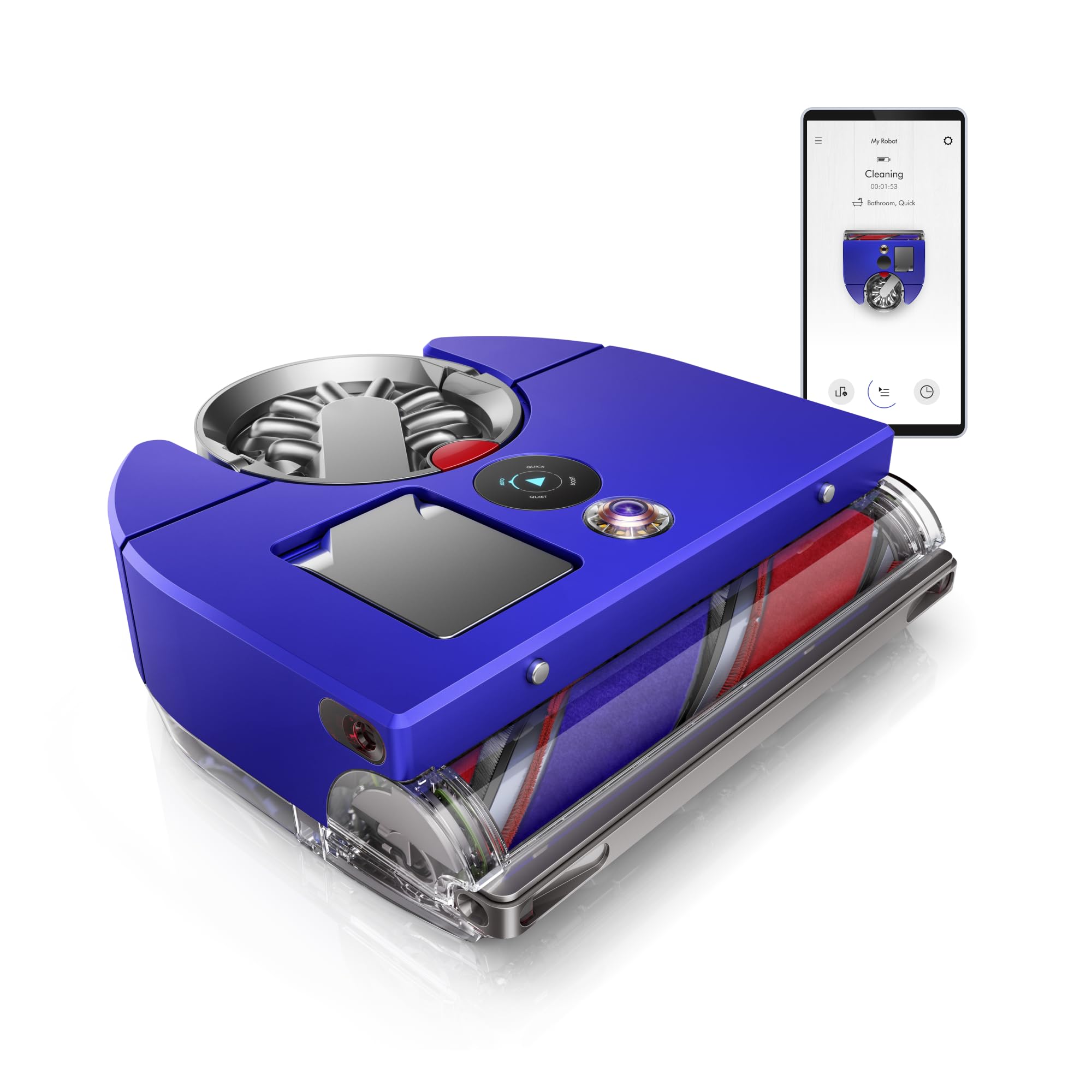
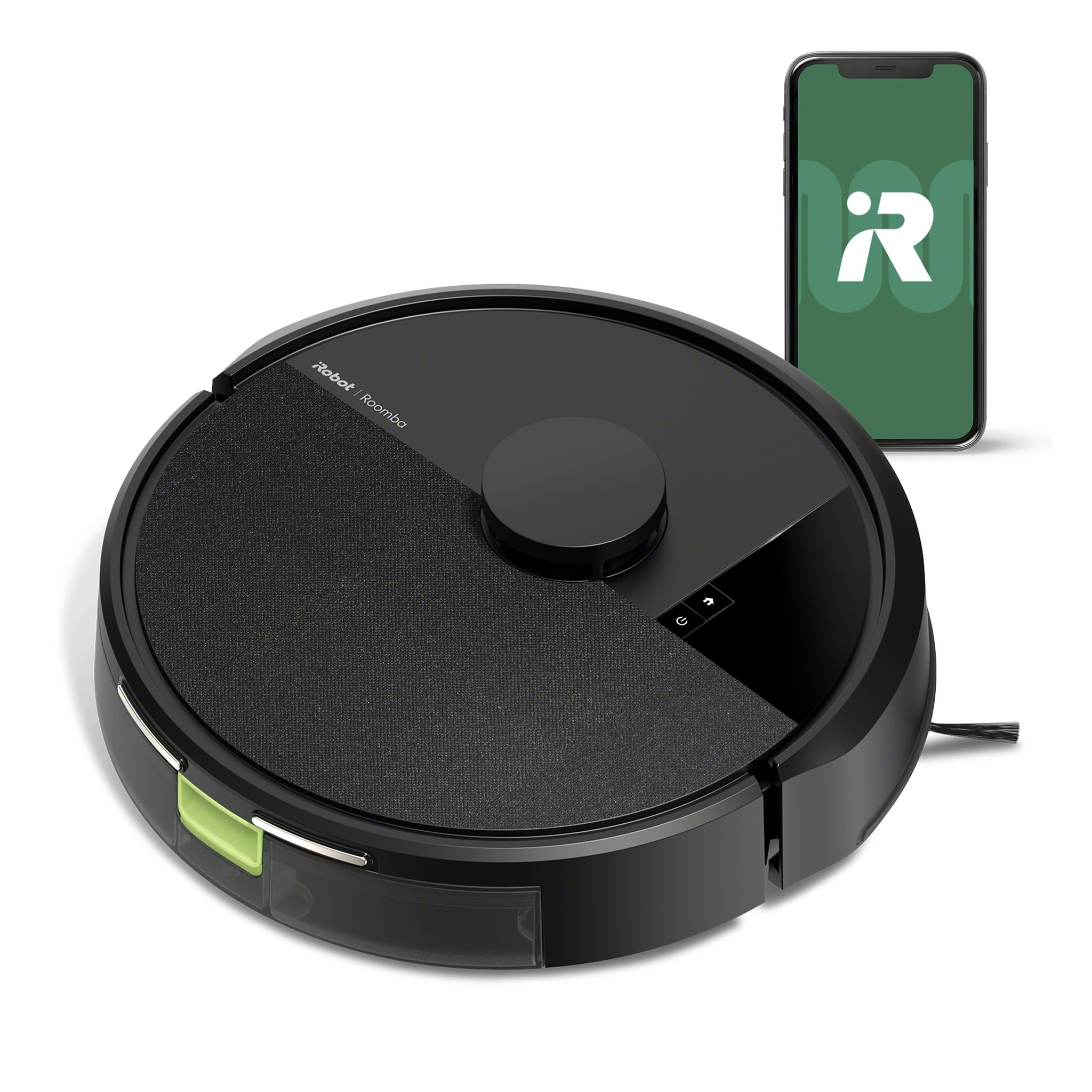
The Dyson 360 Vis Nav is a vacuum-only robot without a mop or a self-emptying station: it charges on a simple dock and you empty the bin yourself. Dyson bets on suction, with a D-shaped body and an extra-wide brush bar that combines three kinds of bristles, and navigates with a 360-degree camera instead of lidar. Vacuum Wars tested it for weeks and calls it one of the most powerful robots available today, with clear shortcomings.

The testers praised the vacuuming itself: on hard floors and carpet alike it picked up fine to coarse debris in one go, and in the test with sand embedded in carpet it scored above average. Even in its lowest setting the suction exceeds what many robots deliver at maximum, and in that setting battery use is frugal too. An extending side duct sucks right up to the baseboard where other robots use a side brush.

The criticism is about navigation and run time. The camera navigation took longer than usual to map, the map was unclear and did not improve by itself, and coverage varied from run to run. At full power the battery drains fast, giving one of the worst battery-efficiency scores Vacuum Wars has recorded; the robot then recharges and finishes later. The app covers the basics but less than the big rivals' apps. This is a robot for people who put suction above everything and do not mind emptying it themselves.
What the tests like and dislike about the Dyson 360 Vis Nav

Pros

  • Takes up fine dust and bigger bits on every kind of floor Vacuum Wars ↗
  • Collects pet and human hair well without much tangling Vacuum Wars ↗
  • The bin empties cleanly at the push of a button, and the filter is washable Vacuum Wars ↗
  • Keeps pulling deep-down fine dust out of carpet even after repeated runs Tom's Guide ↗
  • Its D shape and pop-out side duct clean into corners and under counters Tom's Guide ↗
  • Rarely needs rescuing, and the app shows how to clear a jam Tom's Guide ↗
  • A side duct slides out to clean along skirting and table legs TechRadar ↗
  • Fills its bin with a surprising amount of dirt even on the automatic setting TechRadar ↗
  • The dust canister is very easy to release and empty TechRadar ↗

Cons

  • Mapping is slow and muddled, and it sometimes skips whole areas Vacuum Wars ↗
  • The battery drains fast whenever it switches to full power Vacuum Wars ↗
  • No mop, self-emptying dock or obstacle sensors at such a high price Vacuum Wars ↗
  • Its side vents blow cereal and hair out of its path on hard floors Tom's Guide ↗
  • No self-emptying or mopping despite the premium price Tom's Guide ↗
  • Gets loud when it shifts into its strongest setting Tom's Guide ↗
  • Battery runs down quickly, especially on the strongest setting TechRadar ↗
  • Stops and starts to find its bearings, and zone cleans miss spots TechRadar ↗
  • Despite its D shape it does not really get into corners TechRadar ↗

Where the testers disagree

  • Pickup: Vacuum Wars: Takes up fine dust and bigger bits on every kind of floor · TechRadar: Fills its bin with a surprising amount of dirt even on the automatic setting against Tom's Guide: Its side vents blow cereal and hair out of its path on hard floors
  • Navigation: Tom's Guide: Rarely needs rescuing, and the app shows how to clear a jam against Vacuum Wars: Mapping is slow and muddled, and it sometimes skips whole areas · TechRadar: Stops and starts to find its bearings, and zone cleans miss spots
  • Edges and corners: Tom's Guide: Its D shape and pop-out side duct clean into corners and under counters · TechRadar: A side duct slides out to clean along skirting and table legs against TechRadar: Despite its D shape it does not really get into corners

Each point sums up, in our words, the review of the test it names, and its link leads to that review. We do not summarize RTINGS or Wirecutter: their lists are linked above.

Dyson 360 Vis Nav specifications

The numbers that matter first, then every fact by group. As published by the maker or the store we read it from.

Dyson · on the market since October 2023

Robot height3.9 in
Climbs thresholds up to0.8 in
Runtime per charge65 min
Noise62 dB

Dimensionsrobot and dock

Robot, from the side 13 in across 3.9 in

From the published dimensions. The robot passes under furniture with 3.9 in of clearance or more.

Suction and brushes 2 facts
Anti-tangle brush

A brush that guides hair to the side instead of letting it wind around the shaft. It saves the cutting work in homes with long hair or pets.

no
Extending side brush

The side brush swings out in a corner or along a baseboard, so the dust there is swept in too.

no
Mopping 1 fact
Mop type

How the mop is built: flat pads, two spinning discs or a roller. Discs press harder on dried-on dirt, a roller rinses itself while it works.

no mop
Dock 6 facts
Empties the dust bin

The dock empties the robot’s dust bin, usually after every run. You only empty the dock’s bag or bin.

no
Washes the mop

The dock washes the mop for you, so you do not rinse it by hand.

no
Dries the mop

The dock dries the mop afterwards, so it does not sit there wet and start to smell.

no
Hot-air drying

Drying is done with warm air instead of cold. It is faster and it helps against smell.

no
Dispenses detergent

The dock mixes detergent into the water itself, from its own bottle.

no
Plumbing hookup

The dock can be connected to the tap and the drain, so you never fill or empty a tank. It does need a connection nearby.

no
Navigation and obstacles 4 facts
Navigation

How the robot maps your home and follows that map. Lidar measures with a laser and works in the dark, a camera looks along and recognizes more.

camera
Obstacle avoidance

How the robot sees loose things on the floor, such as cables, socks or a pet accident. A camera with depth sensing sees more than a bumper that reacts on contact.

none
Climbs thresholds up to

The highest threshold the robot takes, as the maker states it. Measure your own: the step into a bathroom or onto a balcony is often higher.

0.8 in (20 mm)
Climbing system for high thresholds

An extending leg or wheel that carries the robot over a high threshold. Without one it usually stops at about 0.8 in (2 cm). On this model: the maker names this feature nowhere on the product page, so we take it as no

no
Robot 4 facts
Robot height

How tall the robot is. It decides whether it fits under your sofa, bed or cabinet.

3.9 in (9.9 cm)
Robot diameter

How wide the robot is. Narrower gets between chair legs more easily, wider usually means a bigger dust bin.

13 in (33 cm)
Dust bin in the robot

How much dust the robot holds before you empty it. It matters less with a self-emptying dock, which empties the bin after every run.

500 ml
Noise

The noise in decibels, in the setting its source names: makers mostly give the standard setting, stores often the highest. 65 dB is like a vacuum at half power, 55 dB like a conversation.

62 dB
Battery 1 fact
Runtime per charge

How long the robot cleans on one charge, at its quietest setting. After that it recharges and carries on where it stopped.

65 min
Smart features and warranty 2 facts
Matter

Matter is the standard that lets devices from different makers work together. With it you can run the robot outside the maker’s own app. On this model: the maker names this feature nowhere on the product page, so we take it as no

no
Voice assistants

Which voice assistants the robot works with, such as Google Assistant or Alexa. On this model: from the maker's product text, not from a specification table

Alexa, Google Assistant

Sources: dyson.com · amazon.nl · dyson.co.kr · dyson.com.mx · mediamarkt.nl

What the tests say

Positions and labels, never text. How we combine those positions is on the method page.

More robots without a station under $300

We keep your report and the address of this page, not your name, email address or IP address.